|
FREE Art templates and dimensions for CD/DVD/USB Flash packaging artwork, disc, and usb logo image: |
Artwork Templates with Image Dimensions for CD/DVD disc, USB Logo, and Package Artwork:
- All of our printing is single sided only. This is sometimes referred to as 4/0 printing (scroll down for more info).
- CD/DVD artwork examples.
- USB artwork examples.
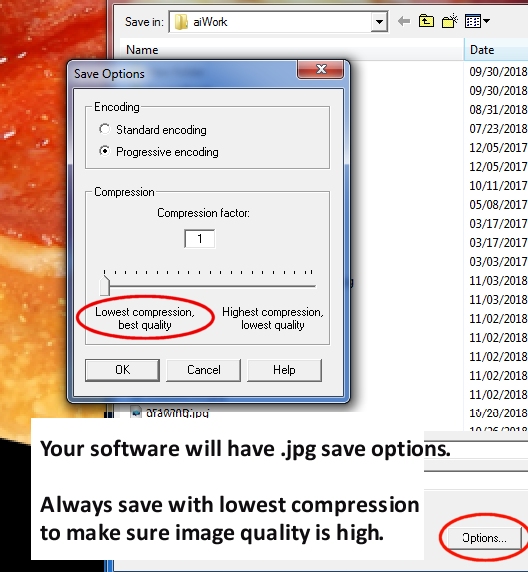
- Your artwork should be a .bmp file or a .jpg file saved as RGB. For USB logo images, we accept .png or .jpg images. If you use .jpg, save using the highest quality, lowest compression (largest file size -- see bottom of this page).
- The artwork graphics you provide (.jpg or .bmp images) will be stretched to fit if your artwork is of a different size. For best results, make sure to use the dimensions listed below to maintain the proper aspect ratio. Use the templates below to get the size and dimension of each type of graphic artwork file. For the best looking output, you would want to have an image with the same aspect ratio (proportional dimensions).
- Our production system prints the disc, DVD case overwrap, CD case inserts and all graphics using RGB 300 dpi full color or better.
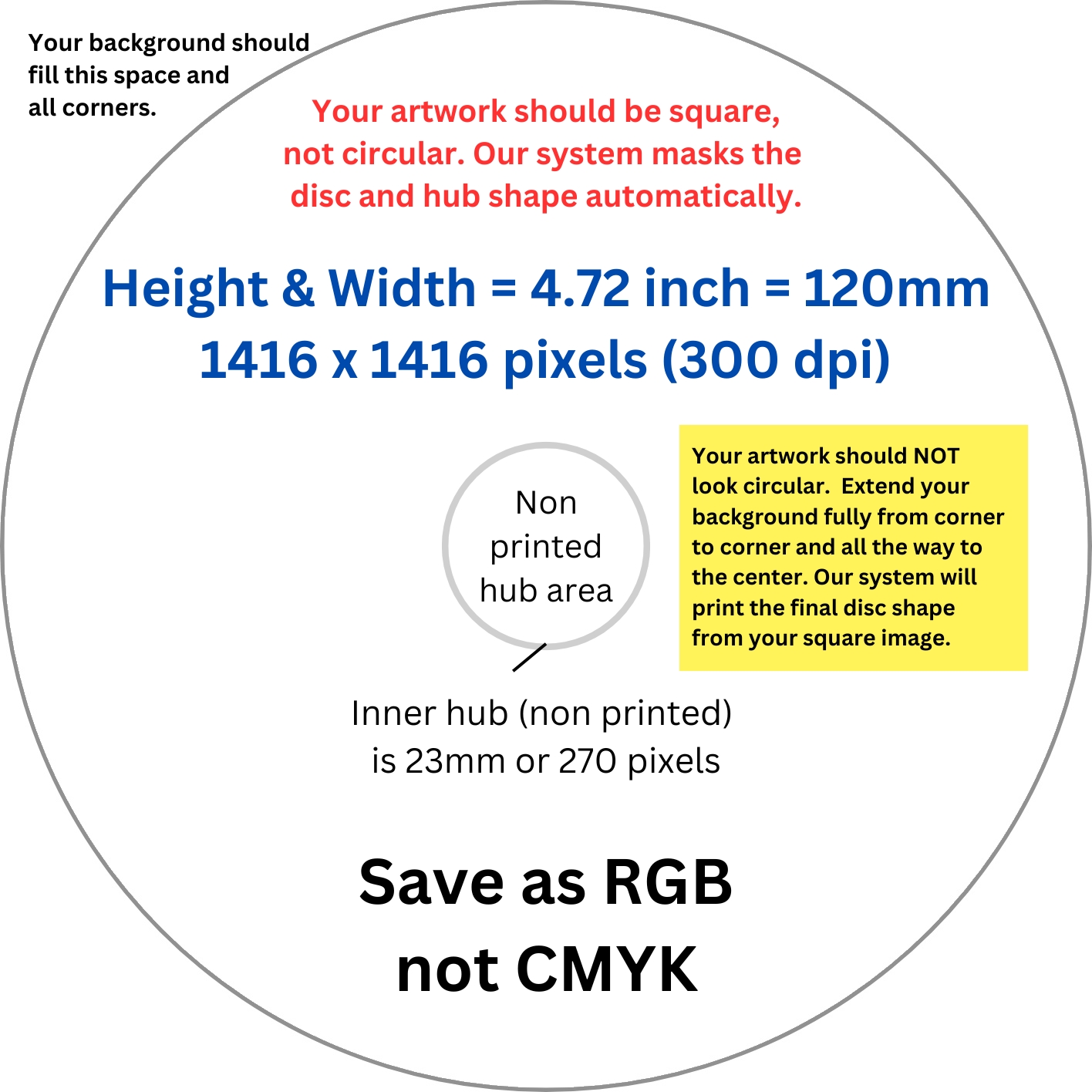
- For the image printed directly to the CD/DVD, the outer 1mm or so will not be printed (cropped off). Keep important text away from the outer edge and inner hub area.
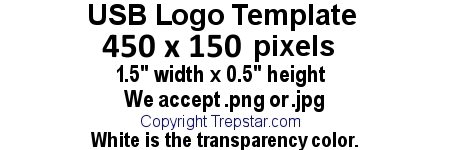
- For USB LOGO images, we print it the exact size so normally, the entire image is used.
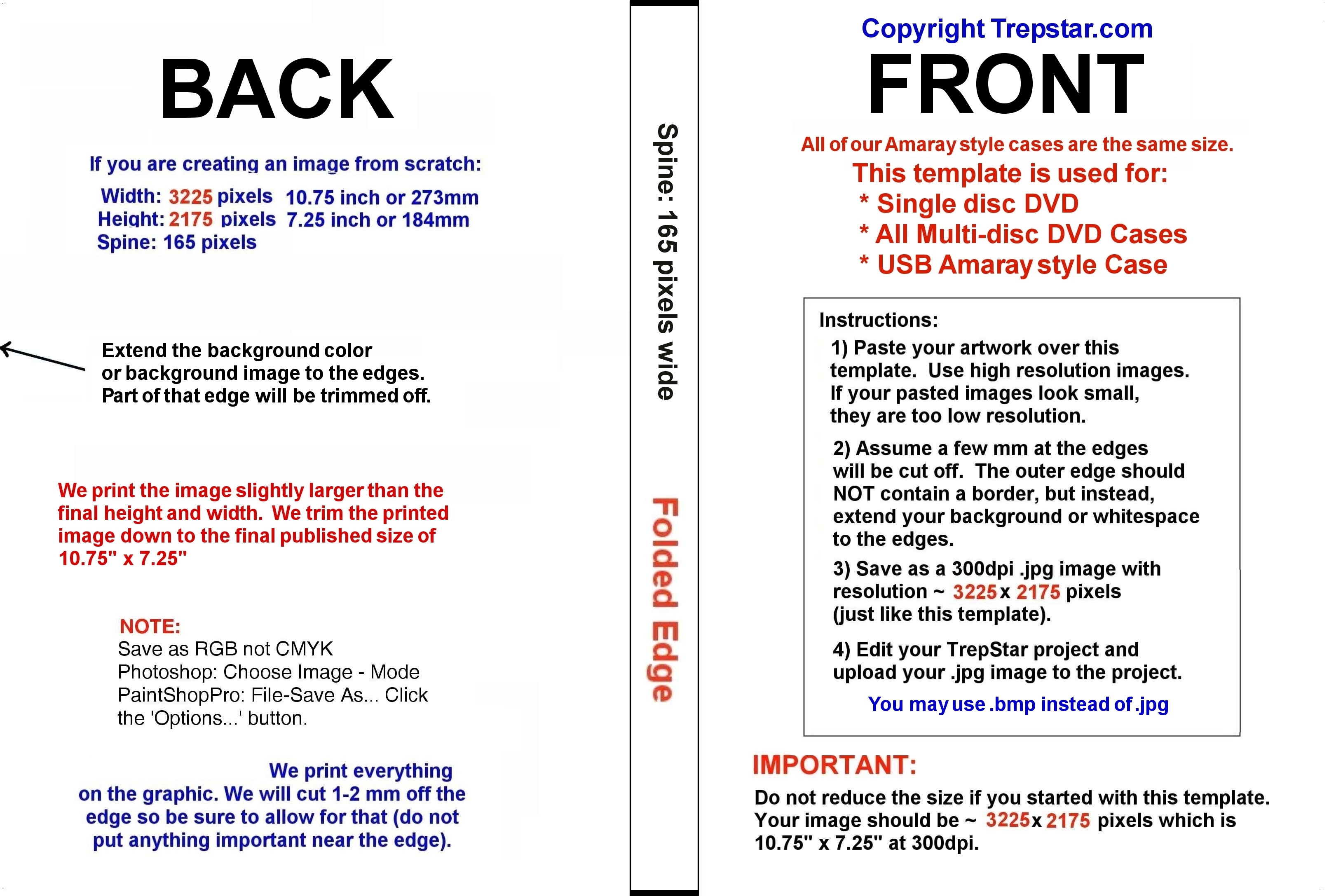
- For DVD or CD case artwork, we print the image slightly larger (about 2mm on each edge) than the final published size shown on each template. We trim off the outer 2mm or so on each edge.
- You should have no cut marks on your artwork.
- You should not have white space on the outer edges of your images.
- Make sure important parts of your artwork are away from the edge as much as possible.
- Avoid different colors or borders near the edges of your artwork. Since it's likely the cut will be slightly off center, any borders or white space at the outer edges of your image will make any variances in centering more obvious. The outside edges of your artwork should be a simple, smooth extension of your background. In other words, just extend out your background color or background image to the edge.
- After you've uploaded your .jpg or .bmp artwork, you may see what your product will look like. Login to TrepStar, then click the 'view product' choice listed in the dropdown menu near the order button (next to each of your products). This feature gives you an approximation of how your images will be printed and will show you if you have it pretty close to what you expect.
- Your computer monitor has much less resolution than what is printed at 300 DPI (dots per inch). For example, a 1920 pixel wide screen is only 6.4" at printed size 300dpi. You should try printing your final artwork image from your computer to see how it looks printed. When looking at your image properties, or sometimes when looking at image re-size options, make sure your image is the correct size and at 300dpi. Then, select print preview from your graphics program and set it to print at 100% scale. If you have the image set up properly, it will print exactly the same size is how it will print on our system. Then imagine we trim the outer edges of the image about 1.5 mm on each edge.
- Avoid placing critical text or graphics within 5mm of the edges of your artwork. We do not trim very much of your image during production, but there is some trim area (about 1.5mm).
- Try to use light coverage artwork to avoid dark ink coverage print fees.
Do you need help creating your artwork? Try one of these options:
- Canva.com Create free Artwork yourself.
- Send an email to help@trepstar.com and TrepStar can add your artwork to our templates for $59.
- Send an email to help@trepstar.com and TrepStar can design your artwork for $129.
We use what's commonly called 4/0 printing.
- The "4" in 4/0 means digital printing which uses four colors (Cyan, Magenta, Yellow, and Black) to make up every color variation. The "0" means no printing on the back.
- 4/0 means printing 4-color process on 1 side and blank on the other side. This is what TrepStar uses.
- 4/1 means printing 4-color process on 1 side and black/white on the other side. We do not use this method.
- 4/4 means printing 4-color process on both sides. We do not use this method.
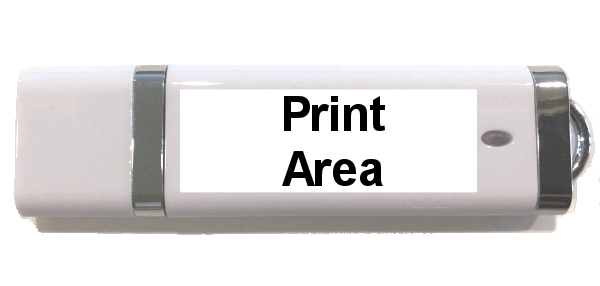
USB Flash Drive Logo Image
The small logo image is printed to a clear label, then applied to BOTH sides of the USB Flash Drive.
|
|
CD or DVD Disc Image.
The disc image is printed directly to the CD or DVD surface. Image should be be square (1x1 aspect ratio height=width). The dimensions are listed below.
|
|
DVD or USB Case overwrap. We use the same overwrap for our USB Amaray, Single Disc and Multi-Disc DVD cases since they are all the same size.
The Amaray style overwrap (coversheet / entrapment) is printed artwork that is inserted in the plastic sleeve (entrapment) located on the outside of the case. This is what you see when you're looking at the closed (amaray style) case.
|
|
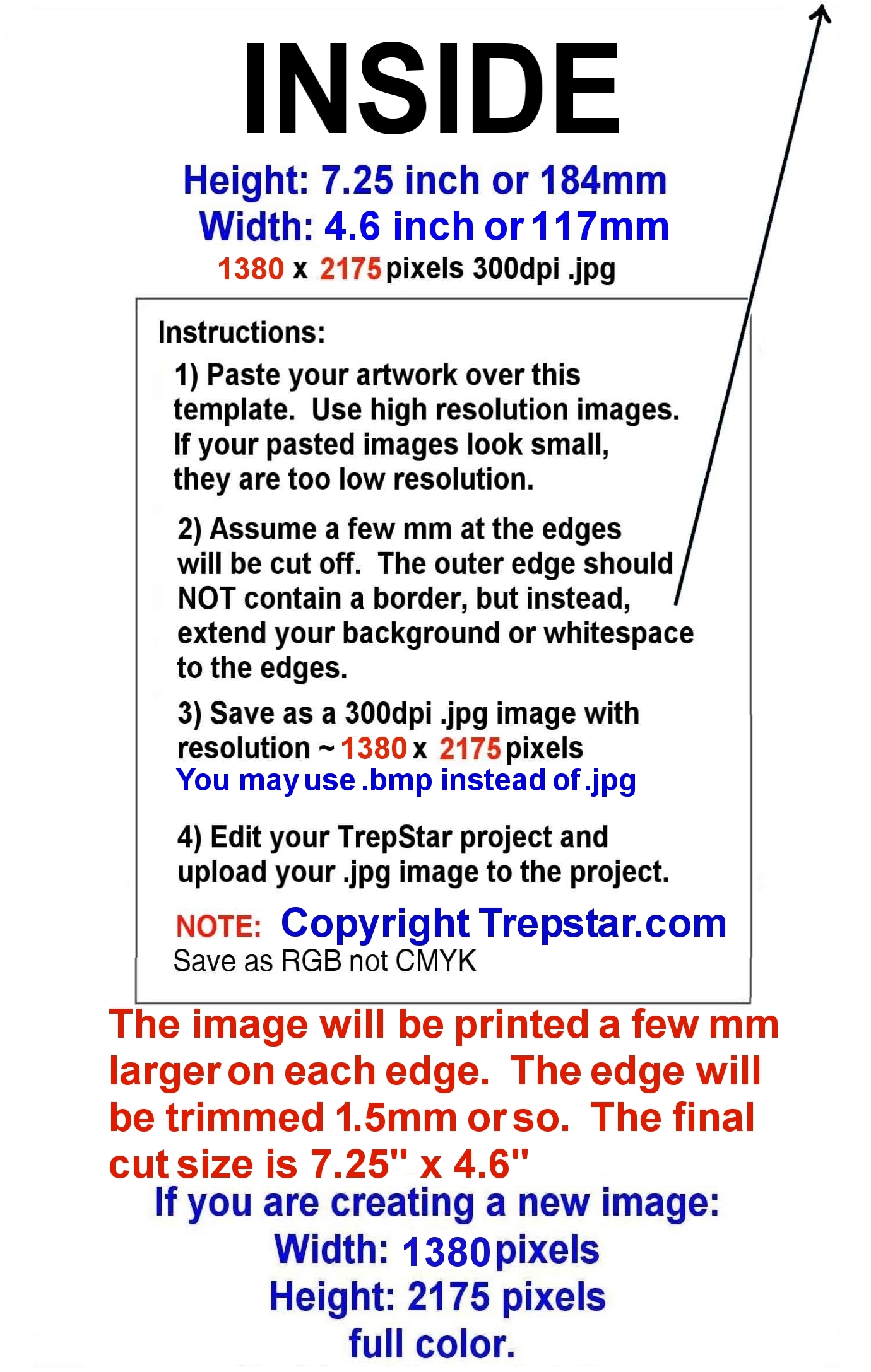
DVD or USB Inside Amaray Case Panel Insert
The one sided panel insert is held in place by clips on the inside of the amaray style case. When you open the case, it is inserted on the left hand side. The disc or USB flash drive is placed on the right hand side. The dimensions are listed below.
|
|
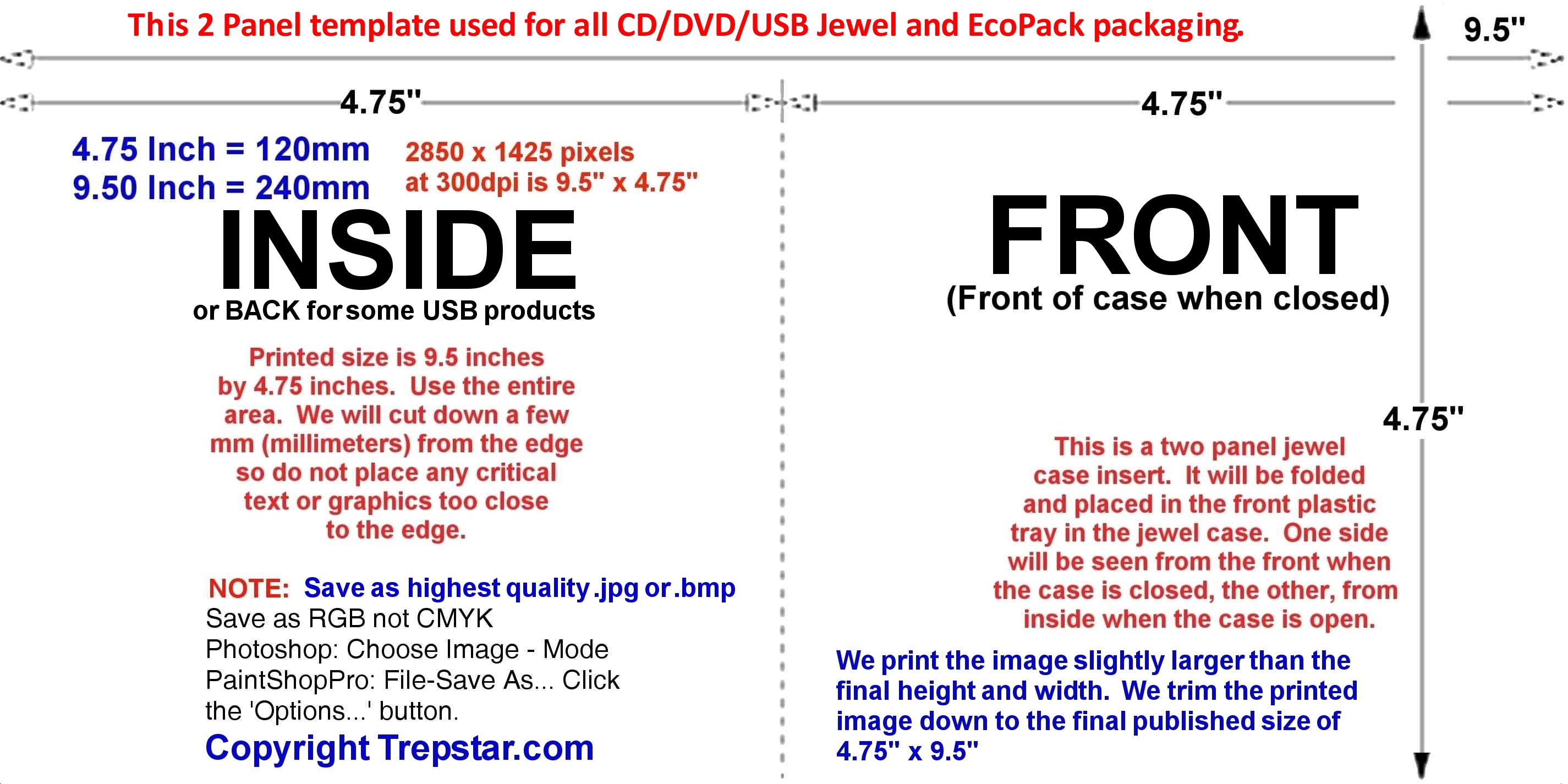
CD Case (jewel case) or EcoPack 2 Panel Insert Artwork
This same 2 panel artwork is used for several types of packaging. The 2 panel image is printed and folded, and then inserted in either a CD style case or our EcoPack. The EcoPack is made by folding the 2 Panel artwork and placing it in a clear resealable sleeve.- For CD Case style packaging: One panel of the folded 2 panel artwork can be seen from the front of the CD case when it's closed, and from the inside of the CD case when it is open.
- For EcoPack: The folded 2 panel artwork is placed in a clear resealable sleeve so one panel is the front and the other is the back and the disc or USB is placed inside the fold.
|
|
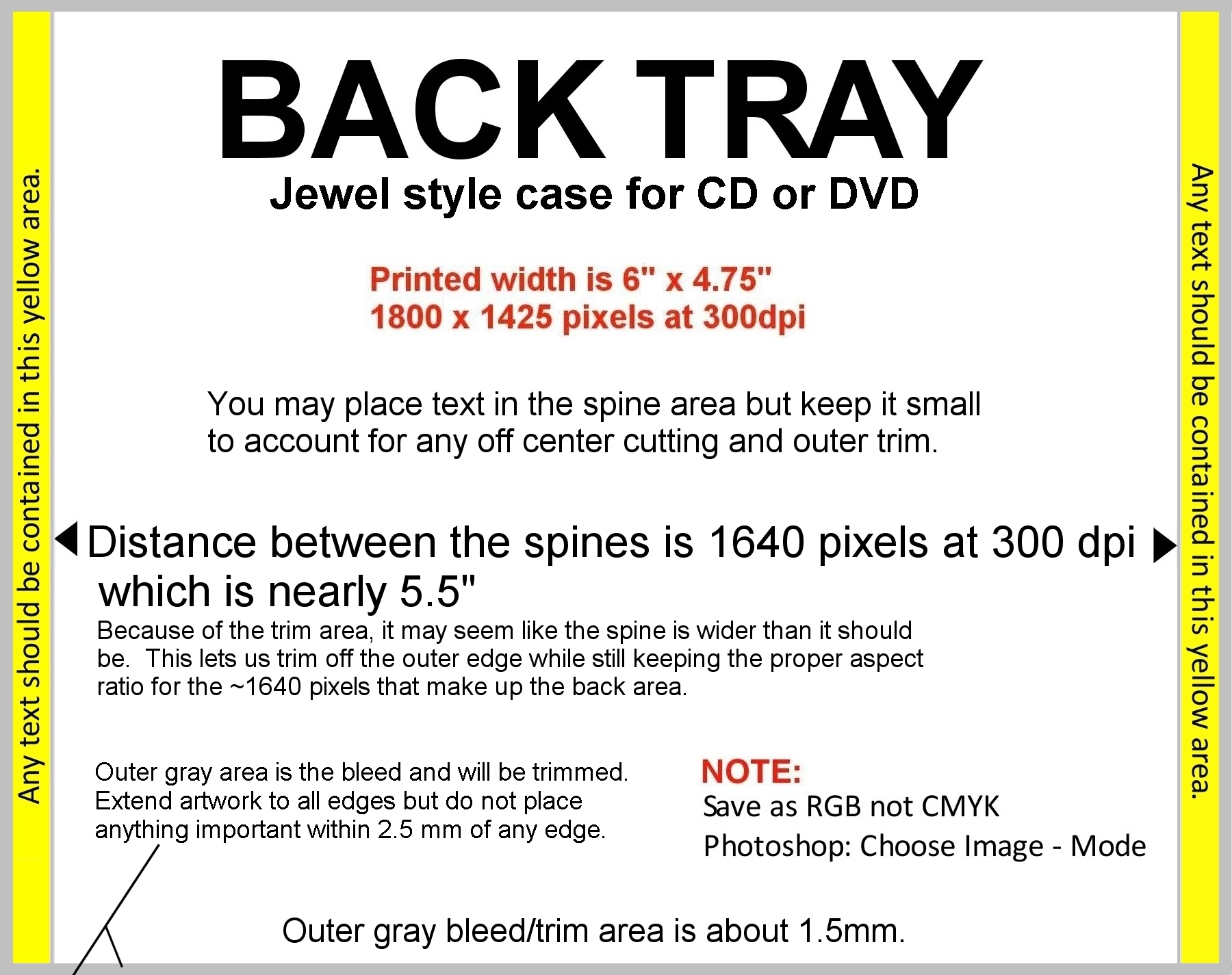
CD Case (jewel case) Back Tray Card Insert
This is placed inside the clear CD case and is visible from the back and side edges of the CD case. We use black trays, not clear trays, so printing is one sided only (4/0). The dimensions are listed below.
|
|
Save your images with an RGB color profile, not CMYK:
|
In Photoshop choose Image-Mode to confirm you're image is RGB. 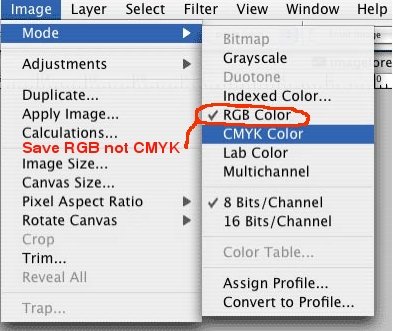
|
In Paint Shop Pro choose File - Save As... Then click the 'Options...' button to confirm you're saving as RGB. 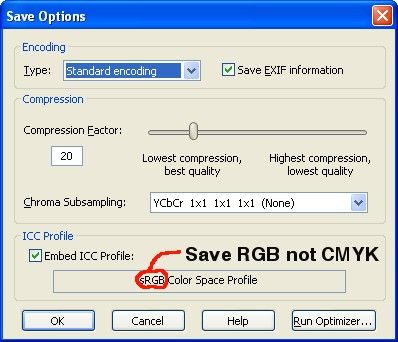
|
When saving as .JPG, use highest "quality" setting when saving the file:
|
|
Artwork Services and Software:
- FREE: Try Canva.com to create free artwork online. Watch Video: Create Free artwork on Canva:
- FREE: For simple graphics editing, use Windows Paint. Click Start - All Programs - Accessories and choose "Paint"
- FREE: Try PicMonkey. PicMonkey gives you powerful tools to design artwork easily and it's all online with no software to download.
- FREE Trial: A little more power - Paint Shop Pro.
- PhotoShop: If you have it, use it. If you do not have it, it's probably more than you need so we recommend the free trial of Paint Shop Pro.
- Always save .jpg as RGB not CMYK